Since v8.0 of StrengthLog, it’s possible to see your Strength Level in the app.
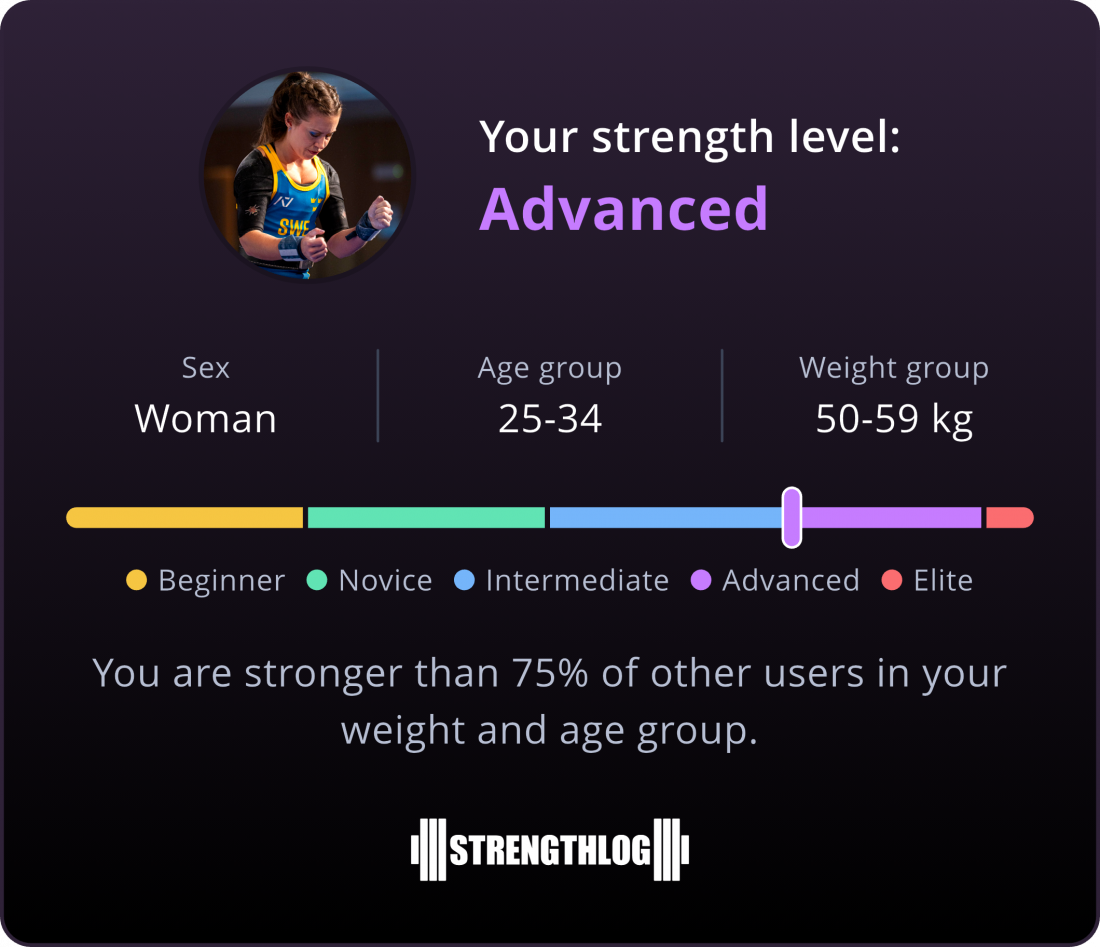
Strength Levels are intended to be a fun way for our users to compare themselves with other app users. But no matter where you place on these strength levels, either on the general one or on specific lifts, it’s worth remembering one thing: if you’re strength training regularly, you’re already stronger than most people who never lift!
And before diving in to how to see your strength level, please keep in mind that self-reported data can be unreliable. A user can intend to log 20 kg, but an extra tap on the keyboard enters it as 200 kg. And there’s no controlling for form, meaning what one user considers an acceptable squat might not be what’s generally considered acceptable squat form – and that can result in inflated weights logged.
We do our best to mitigate this by excluding excessively high weights, but strength outliers do exist. The data you see is an estimate; take it with a grain of salt.
How Does it Work?
Your General Strength Level
When entering the Strength Level page, you’ll get a general strength level. This is based on the 15 most logged exercises in the app:
- Bench Press
- Squat
- Deadlift
- Lat Pulldown
- Overhead Press
- Barbell Row
- Dumbbell Lateral Raise
- Leg Extension
- Leg Press
- Barbell Curl
- Tricep Pushdown With Bar
- Incline Dumbbell Press
- Dumbbell Curl
- Pull-Up
- Cable Close Grip Seated Row
To be able to see your strength level, you need to enter your sex, age and bodyweight. You also need to have logged sets of at least three of the above exercises.
Below are the definitions of the fitness levels we use.
Beginner: Stronger than 5% of lifters.
Novice: Stronger than 25% of lifters.
Intermediate: Stronger than 50% of lifters.
Advanced: Stronger than 75% of lifters.
Elite: Stronger than 95% of lifters.
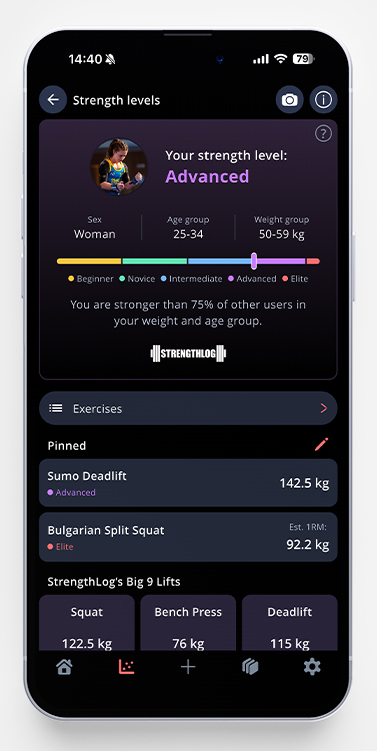
Exercise Specific Strength Levels
To go to a specific exercise, you can tap the exercises button to open up a list of all included exercises. We continuously try to add more exercises to this list. If you’re missing your favourite, please hit us up at app@strengthlog.com and we’ll see if we can add it!
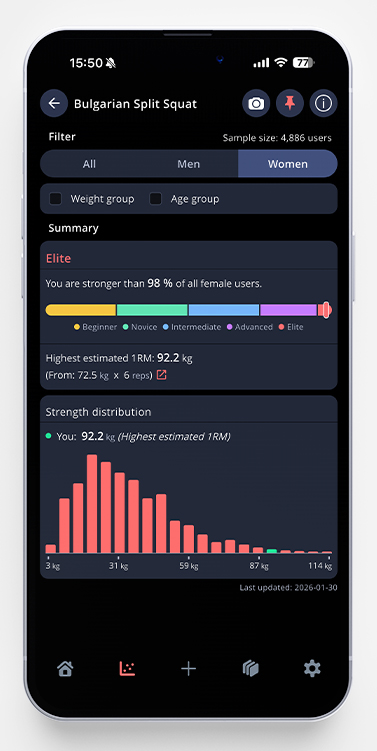
You can compare yourself with all users or narrow the comparison down by age, weight, and sex. This is done by choosing the filters available in the top of your screen.
If you want to, you can pin an exercise to the first page of strength levels. This is done by tapping the small pin icon in the upper right corner of every exercise.
Share it With Your Friends
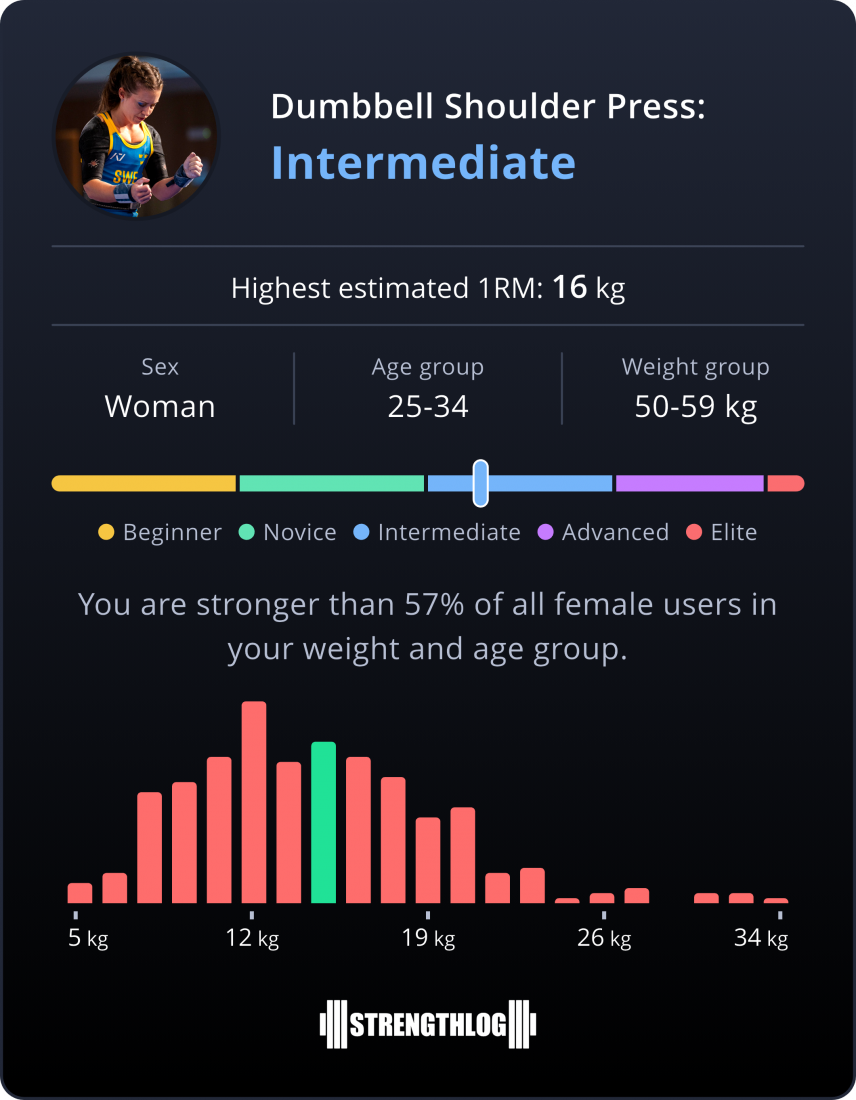
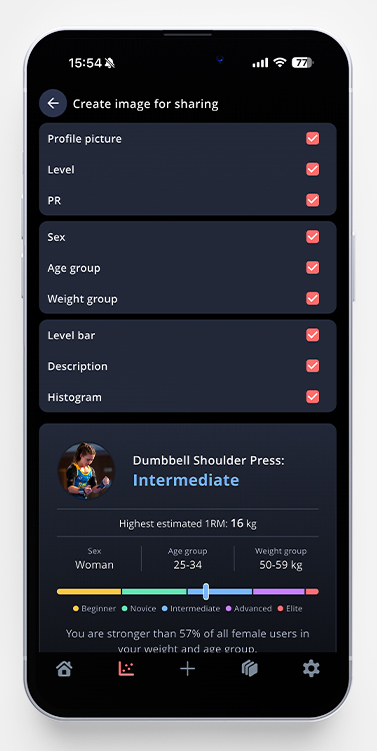
If you want to share your strength level with others, just tap the camera icon to be able to create your own picture for sharing.
As shown in the screenshot above, you can choose how much information you want to include in the picture. It is possible to exclude your sex, age and weight for example.
If you choose to create a picture for a specific exercise, you can also choose whether you want to show the histogram and your PR/estimated 1RM as well.